Bearweb Page Template
The Bearweb page template is built on top of the Bearweb CMS framework. The page template provides a simple, responsive design framework to display webpage content (HTML). This article shows how to use the Bearweb page template.
Web dev, Data structure, HTML, Template
--by @ Jan 22, 2026Index
Template Structure
The Bearweb page template is formed by 3 files:
Bearweb_Site::Dir_Template/page.phpas the template itself (to output page content in HTML);Bearweb_Site::Dir_Resource/bearweb.jsused to create animations and handle user interactions;Bearweb_Site::Dir_Resource/style.cssused to define the appearance of the webpage.
Using the Bearweb page template is not mandatory when using the Bearweb CMS. The page template handles the front-end and the Bearweb CMS handles the back-end. You can create your own page template. However, you may want to use this template as reference to learn how to interact with the Bearweb CMS.
HTML
The ultimate goal of the page template is to format our data (a PHP resource object) into an HTML webpage. See this document for resource properties.
<!DOCTYPE html>
<html lang="en">
	<head>
		<!-- My head -->
	</dead>
	<body>
		<!-- My body -->
	</body>
</html>
A webpage contains two parts: the invisible head, which carries some machine-read metadata; the visible body, which will be rendered and displayed to the visitor.
Note that lang="en" in the <html> tag shows the language of this page. In this example, English, without region code.
If you are building a multilingual website, you will want to create a template for each language you serve. For example, page-zh.php for Mandarin, where you write <html lang="zh"> in it; page-en.php for English, where you write <html lang="en"> in it.
As you can imagine, having multiple page templates for languages is a nightmare for maintenance. You will need to modify all templates when you make changes to page templates. One solution is to include all language in one template, for example, in page-en.php, write:
if ($BW->site->template[0] == 'page-zh')
	echo '<html lang="zh">';
else // if ($BW->site->template[0] == 'page-en') // default lang
	echo '<html lang="en">';
Then, set page-zh.php to be a symlink to page-en.php.
If page-en.php is invoked, it will only execute the template[0] == 'page-en' if-clause; if page-zh.php is invoked, it will link to page-en.php, and execute the template[0] == 'page-zh' if-clause.
HTML <head>
The <head> contains metadata. Bearweb page template will:
	<title><?= htmlspecialchars($BW->site->meta['title'] ?? '', ENT_COMPAT) ?> - Example Site</title>
	<meta property="og:title" content="<?= htmlspecialchars($BW->site->meta['title'] ?? '', ENT_COMPAT) ?>" />
	<meta property="og:site_name" content="Example Site" />
	<meta property="og:type" content="website" />
	<meta name="keywords" content="<?= htmlspecialchars($BW->site->meta['keywords'] ?? '', ENT_COMPAT) ?>" />
	<meta name="description" content="<?= htmlspecialchars($BW->site->meta['description'] ?? '', ENT_COMPAT) ?>" />
	<meta property="og:description" content="<?= htmlspecialchars($BW->site->meta['description'] ?? '', ENT_COMPAT) ?>" />
Print the page title, the sitename, the keywords and description.
For all webpages, you should have title, keywords and description saved in the meta field of the resource object. For example:
'meta' => [
	'title' => 'Title of the Example Page',
	'description' => 'A short description about this page.',
	'keywords' => 'keyword1, keyword2, keyword3'
]
If omit, Bearweb page template will use empty string.
Use English comma (,) (ASCII 0x2C) to separate keywords.
	<meta name="viewport" content="width=device-width, initial-scale=1.0" />
	<meta charset="utf-8" />
Use UTF-8 as the character set (the morden charset choice).
Set the viewport for mobile device.
	<link href="/web/style.css" rel="stylesheet" type="text/css" />
	<script src="<?= $srcDomain ?>web/bearapi.js"></script>
	<script src="<?= $srcDomain ?>web/bearweb.js"></script>
Include the stylesheet and JavaScript files.
	<link rel="canonical" href="https://example.com/<?= $BW->site->url ?>" />
	<meta property="og:url" content="https://example.com/<?= $BW->site->url ?>" />
Set the canonical URL. This is helpful when multiple URLs link to the same resource (for example, example.com/resource, www.example.com/resource), but you should only use one URL for this resource. It tells search engine which URL to index for this content.
<meta name="robots" content="<?=htmlspecialchars($BW->site->meta['robots'], ENT_COMPAT)?>" />
Prevent crawlers from index and/or follow this page. It requests the crawlers to not index and/or follow this resource, but some inresponsible crawlers won't respect it.
In most cases, you would like your page to be indexed by search engines. In this case, do not specify the robots in the meta field of the resource object.
If you do like to disable index and/or follow on a page, set:
'meta' => [
	'robots' => 'noindex'
//	'robots' => 'nofollow'
//	'robots' => 'noindex, nofollow'
]
Do not use anything other than noindex, nofollow or noindex, nofollow. Some crawlers cannot understant other attributes.
<meta property="__og:image" content="/<?=htmlspecialchars($BW->site->meta['img'], ENT_COMPAT)?>" />
Show a poster, if img in the meta field of the resource object is specified. For example, set 'meta' => ['img' => 'my/image.jpg'] to use /my/image.jpg as the poster. Note the value is the absolute URL without the leading "/".
<meta name="author" content="<?=htmlspecialchars($BW->site->owner, ENT_COMPAT)?>" />
Show the author, if owner is not empty (system).
	<link rel="alternate" hreflang="en" href="/<?=htmlspecialchars($BW->site->aux['lang-en'], ENT_COMPAT)?>" type="text/html" />
	<link rel="alternate" hreflang="zh" href="/<?=htmlspecialchars($BW->site->aux['lang-zh'], ENT_COMPAT)?>" type="text/html" />
</head>
Alternative languages for multilingual page.
Specify the target URLs for the languages (including the current language and URL) in the aux field of the resource object, for example:
'aux' => ['lang-en' => 'url/en', 'lang-zh' => 'url/zh']
HTML <body>
A page includes 3 elements: <header>, <main>, <footer>. Plus some extra util elements.
<body>
	<header>
		<!-- nav -->
	</header>
The <header> section includes:
- Sitename - Click to scroll to the top. Hardcoded.
- Search box - Open a new page with sitemap to perform client-side filter.
- Menu - Link to other pages. Hardcoded.
- Language - Alternative languages for multilingual page. Drive from
resource->meta->lang-*.
	<main>
		<?= $BW->site->content ?>
	</main>
Content in HTML format from the resource->content. It is rendered depending on its sub-template in resource->template.
You should not use htmlspecialchars($BW->site->content, ENT_COMPAT) to escape the resource content, because it contains desired HTML code as a fragment of the webpage; instead, use:
<?= $BW->site->content ?>orecho $BW->site->content;- To output the resource content (for database-backed resources: small-size resources like HTML pages).$this->site->dumpContent(-1, false);- To dump the resource content directly to client-side (for file-backed resources: large-size resources like images). You are not likely to use this method for HTML page, I don't think any HTML page can be this big.
Depending on Bearweb_Site::Size_FileBlob setting (default 100kB), a resource content may be database-backed or file-backed. Using the wrong output method WORKS (other than possible out-of-memory error) but hits performance. See my blog for details.
	<footer>
		<!-- copyright -->
		<!-- links -->
	</footer>
The <footer> section includes other links and copyright information, hardcoded in the template. It is up to you to decide what to put here.
	<div>
		<!-- utils -->
	</div>
Other utils, such as modal().
Responsive Design
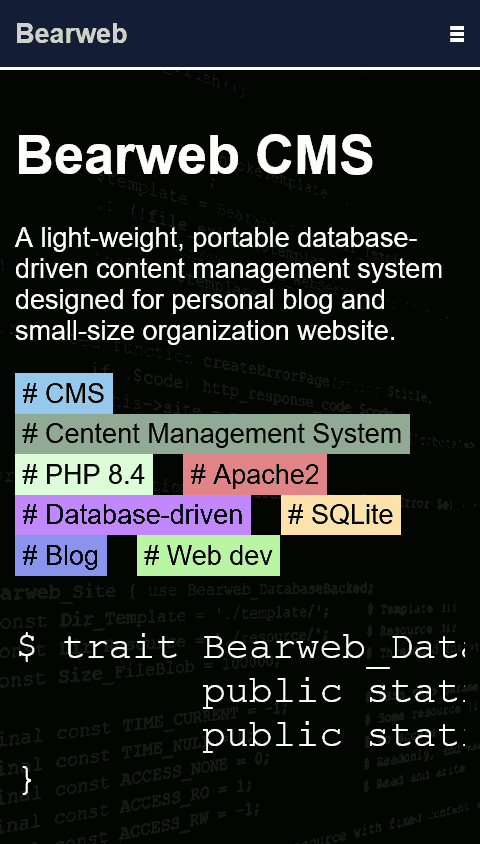
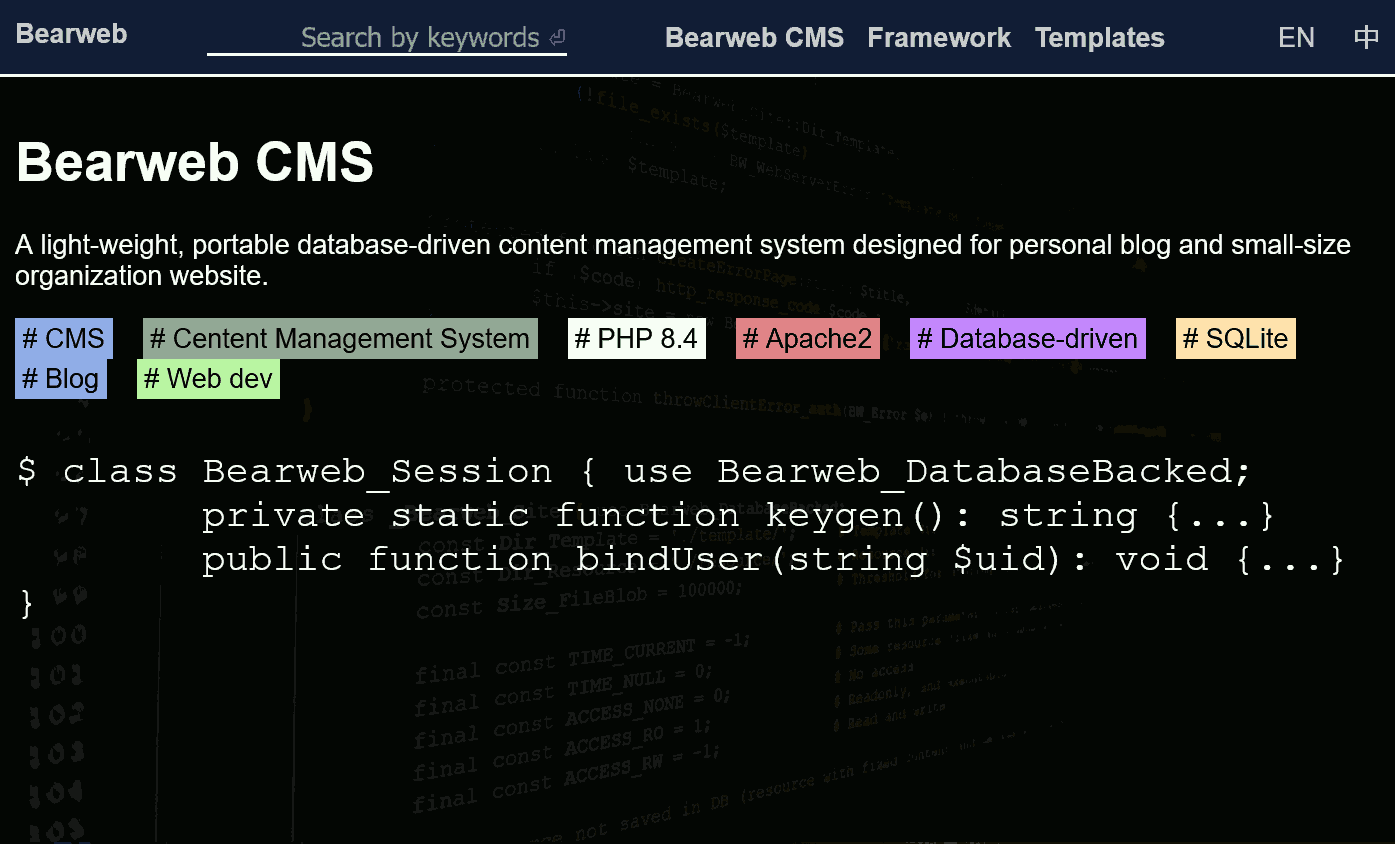
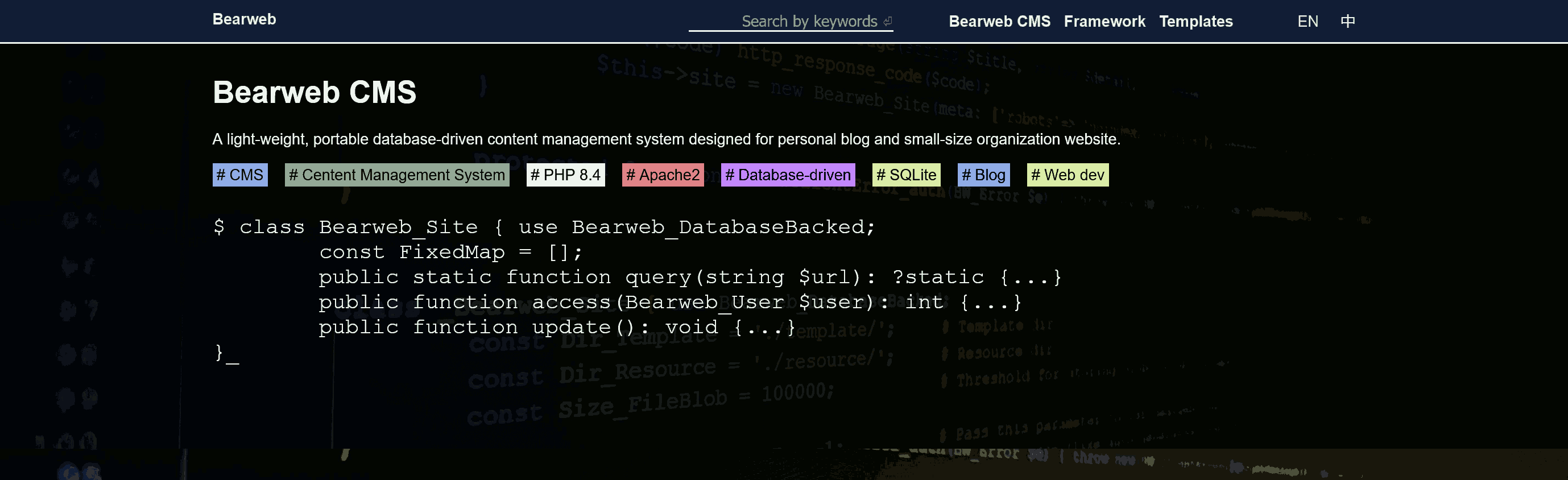
The Bearweb page template uses responsive design in a full client-side approach. The Bearweb page template is not aware of the client-side device, it sends the same HTML to the client, no matter if the client is a laptop or a cellphone. (Yes, I hate those websites that send different pages when using different clients, forcing me to switch devices.) The stylesheet which is running on the client-side determines the appropriate layout to render the page.
There are 3 break points:
- Small screen under 768px (exclude) in width, common for cellphones and tablets (portrait). Some menus are grouped; some horizontally side-by-side elements are placed vertically.
- Middle screen at least 768px (include) but under 1360px (exclude) in width, common for tablets (landscape) and laptops. The content of the page spans the entire screen width.
- Large screen at least 1360px (include) in width. The content of the page spans the center portion of the screen.
Sub-template
The Bearweb page template comes with a few sub-templates. To select a sub-template, set the template field of the resource object to an array ['page', 'x'], where x is the filename of the desired sub-template. For example, ['page-en', 'direct'], in which case, the Bearweb CMS will invoke page-en.php in the Bearweb_Site::Dir_Template directory, then, page-en.php will invoke page-en_direct.php in the Bearweb_Site::Dir_Template directory.
As you can see, this requires 2 PHP file open-compile-execute operations, which is bad for performance. Although Apache2 and PHP can cache the filepath and the opcode, the “invoke” operation still introduces some overhead. Therefore, some commonly used sub-templates are embedded in the page template:
<?php if ($BW->site->template[1] == 'template1'): ?>
	<div class="template1"><?= $BW->site->content ?></div>
<?php elseif ($BW->site->template[1] == 'template2'): ?>
	<div class="template2"><?= $BW->site->content ?></div>
<? else:
//	$template = Bearweb_Site::Dir_Template.'page_'.$this->site->template[1].'.php';
//	if (file_exists($template))
//		include $template;
//	else
		throw new BW_WebServerError('Secondary page template not found: '.$this->site->template[1], 500);
?>
If a specific sub-template is embedded in the page template, Bearweb will execute that if-clause; otherwise, it may optionally search for and include that file in the Bearweb_Site::Dir_Template directory. If that sub-template does not exist, Bearweb will throw a server-side error.
Direct ['page-x', 'direct']
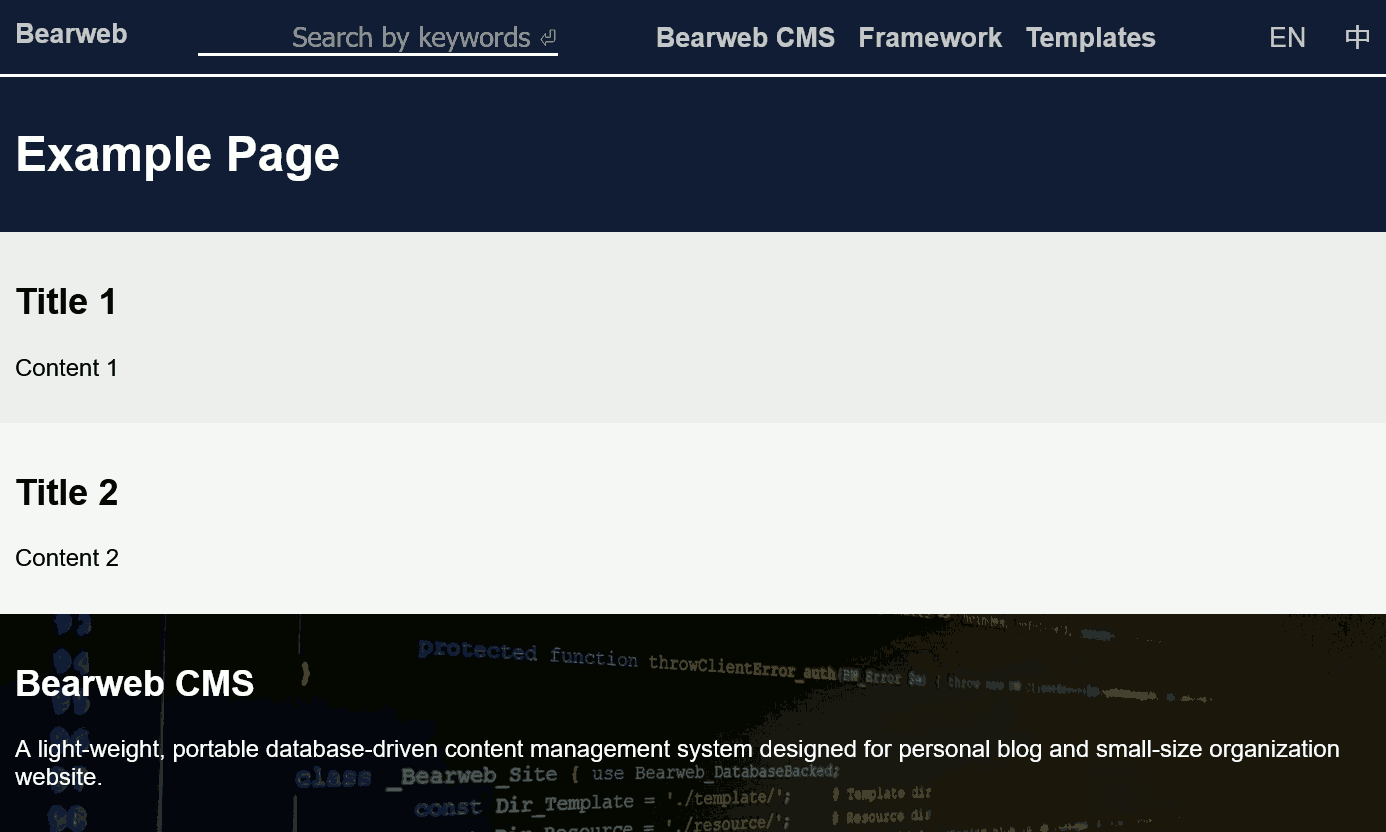
Directly include the content field of the resource object in the template. The following code renders the example screenshot:
'page/direct/en' => [
	'category' => 'Template',
	'create' => 1769055184,
	'modify' => 1769055184,
	'template' => ['page-en','direct'],
	'meta' => [
		'title' => 'Example Page',
		'description' => 'An example webpage',
		'keywords' => 'webpage, HTML',
		'img' => 'web/banner.jpeg',
	],
	'content' => '
		<div class="main_title">
			<h1>Example Page</h1>
		</div>
		<div>
			<h2>Title 1</h2>
			<p>Content 1</p>
		</div>
		<div>
			<h2>Title 2</h2>
			<p>Content 2</p>
		</div>
	',
	'aux' => [
		'lang-en' => 'page/direct/en',
		'lang-zh' => 'page/direct/zh'
	]
];
Article ['page-x', 'article']
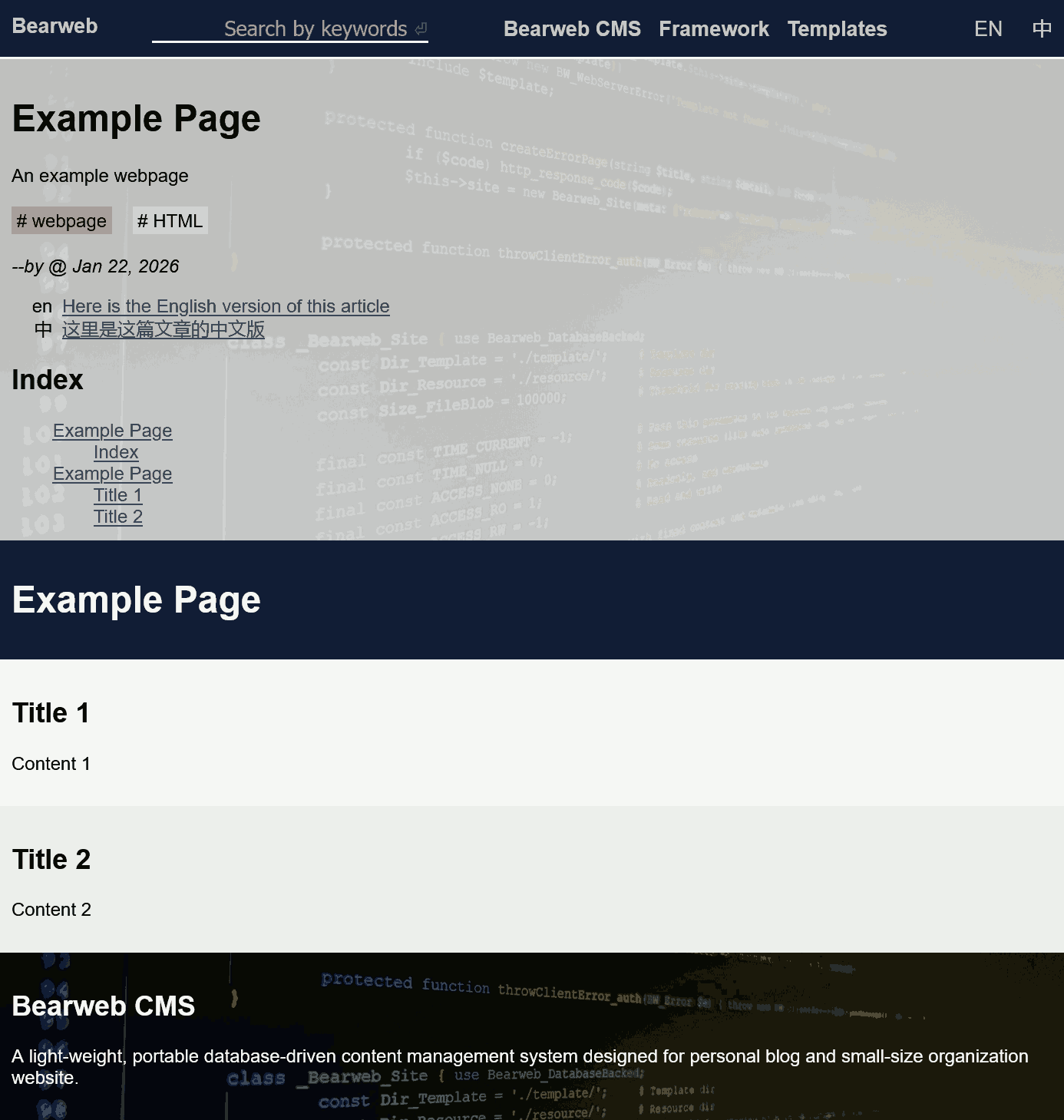
Display the content field of the resource object in the template. The following code is exactly the same as what we used in the direct example, but renders differently:
'page/article/en' => [
	'category' => 'Template',
	'create' => 1769055184,
	'modify' => 1769055184,
	'template' => ['page-en','article'],
	'meta' => [
		'title' => 'Example Page',
		'description' => 'An example webpage',
		'keywords' => 'webpage, HTML',
		'img' => 'web/banner.jpeg',
	],
	'content' => '
		<div class="main_title">
			<h1>Example Page</h1>
		</div>
		<div>
			<h2>Title 1</h2>
			<p>Content 1</p>
		</div>
		<div>
			<h2>Title 2</h2>
			<p>Content 2</p>
		</div>
	',
	'aux' => [
		'lang-en' => 'page/article/en',
		'lang-zh' => 'page/article/zh'
	]
];
As we can see, before the content, there are:
- Title from
$resource->meta->title. - Description from
$resource->meta->description. - Keywords from
$resource->meta->keywords, divided into colorful hashtag blocks. - Author from
$resource->owner. - Timestamp from
$resource->createand$resource->modify. - Alternative languages from
$resource->lang-*. - Article index generated at client-side from the
<h*>tags in the article. Click an index will jump to that section in the article. - All these information in a block with the background poster from
$resource->meta->img.
Image ['page-x', 'image']
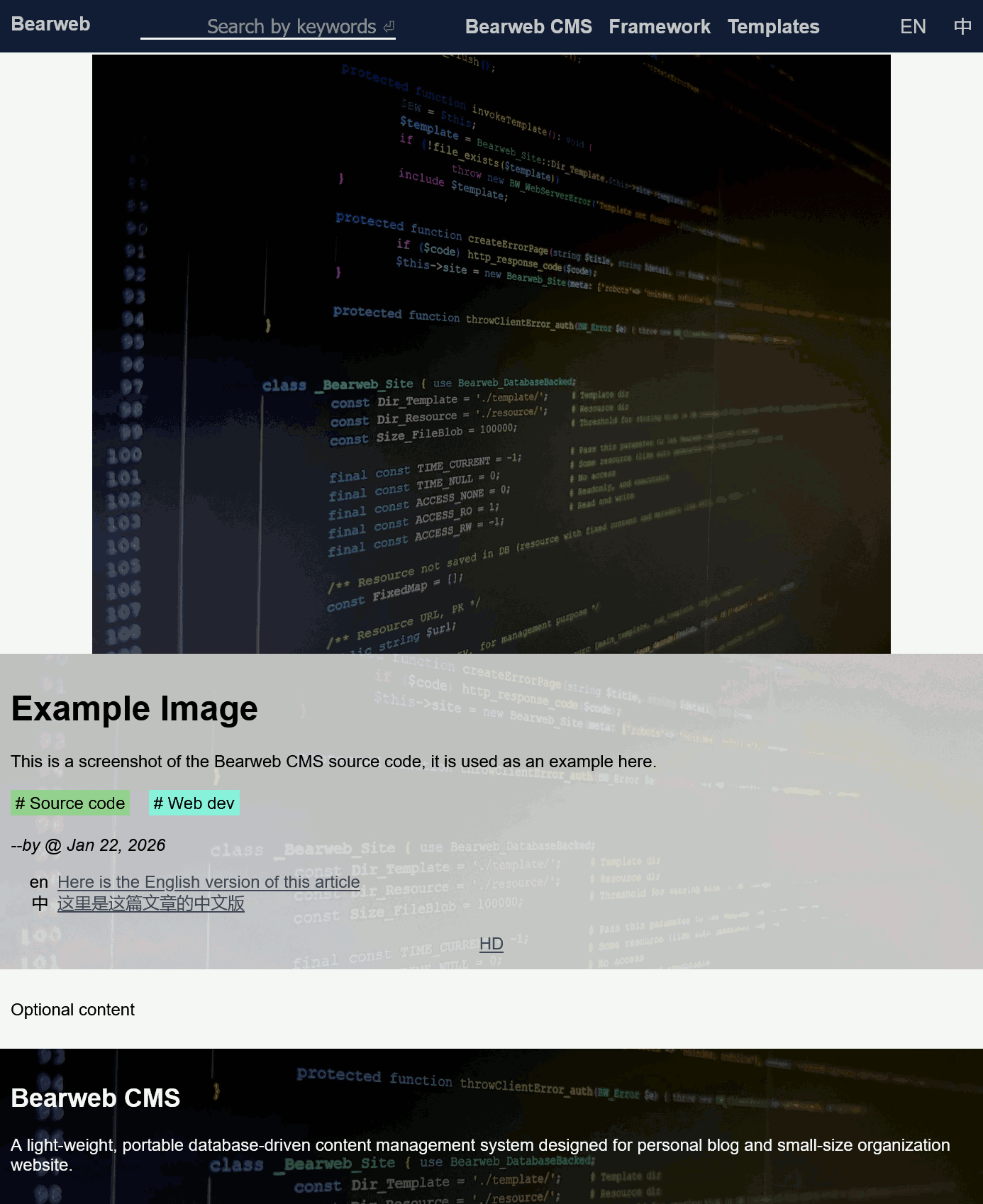
Details of an image. The image sub-template is similar to the article sub-template. However, it has the following 3 attributes:
img(thumbnail) - For a large image, it takes a long time to download; therefore, it is wise to have a thumbnail for it. When the page is loaded, a small, fast-load thumbnail will be displayed first. It is blurry, but allows the visitor to see what this image is about. (Otherwise, the visitor will lose patience and close this page.) The large, slow-load HD image will be loaded in the background.hd- The high definition version of the image.ratio- Provide the aspect ratio (width/height) of this image. It helps the browser to provide the correct space when layout the webpage before the image is downloaded. This is used when generate bulletin page.
'page/image/en' => [
	'category' => 'Template',
	'create' => 1769055184,
	'modify' => 1769055184,
	'template' => ['page-en','image'],
	'meta' => [
		'title' => 'Example Image',
		'description' => 'This is a screenshot of the Bearweb CMS source code, it is used as an example here.',
		'keywords' => 'Source code, Web dev',
		'img' => 'web/banner.thumb.jpeg',
		'hd' => 'web/banner.jpeg',
		'ratio' => 1.33333
	],
	'content' => '
		<div>
			<p>Optional content</p>
		</div>
	',
	'aux' => [
		'lang-en' => 'page/image/en',
		'lang-zh' => 'page/image/zh'
	]
];
For small-size images where thumbnail is not necessary, set both img and hd attributes to the image URL. This allows properly render the webpage and the provide the Open Graph image metadata.
Catalog ['page-x', 'catalog']
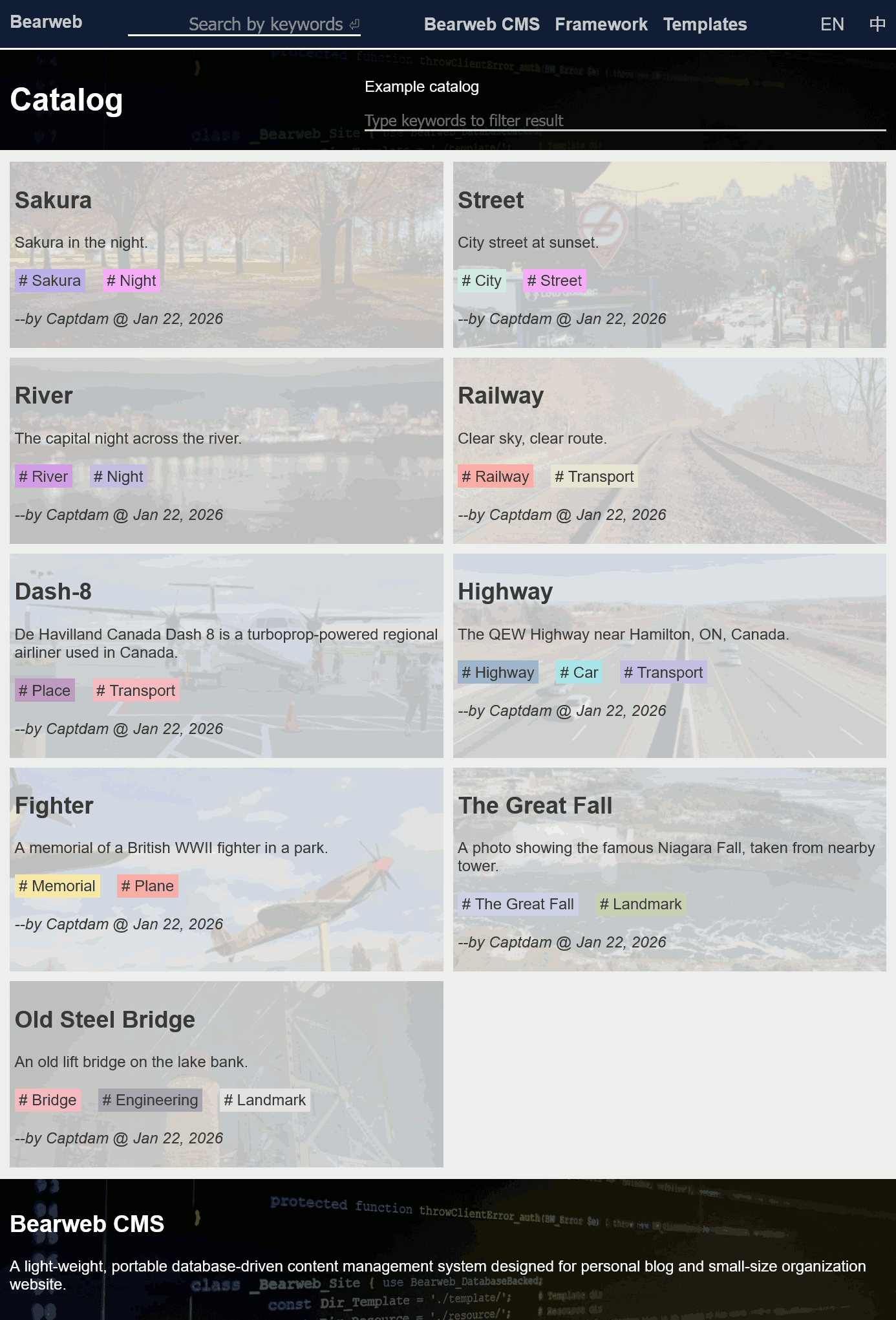
Use this sub-template to display a catalog (list of articles), see example code below:
<div class="list_horizontal" id="categorylist">
	<a href="/example/tree.en.html" style="--bgimg:url(/example/tree.thumb.jpg)">
		<h2>Sakura</h2>
		<p>Sakura in the night.</p>
		<div class="keywords">Sakura, Night</div>
		<p><i>--by Captdam @ Jan 22, 2026</i></p>
	</a>
	<!-- More elements -->
</div>
You will have only one <div id="categorylist"> element representing the catalog list under the <main> element. Under the <div id="categorylist"> element, you may have zero to multiple <a> elements representing each article. For each <a> element, you will need:
href- Link to the article (or other resource).bgimg- A background image, you can use theresource->meta->imgattribute of the article.h2- Title, you can use theresource->meta->titleattribute of the article.p- Description, you can use theresource->meta->descriptionattribute of the article.keywords- Keywords, you can use theresource->meta->keywordsattribute of the article.p- Author and timestamp, you can use theresource->owner,resource->createandresource->modifyattributes of the article.
Furthermore, you can use the search box in the page banner to filter the resources by their text content (title, description, keywords).
Bulletin ['page-x', 'bulletin']
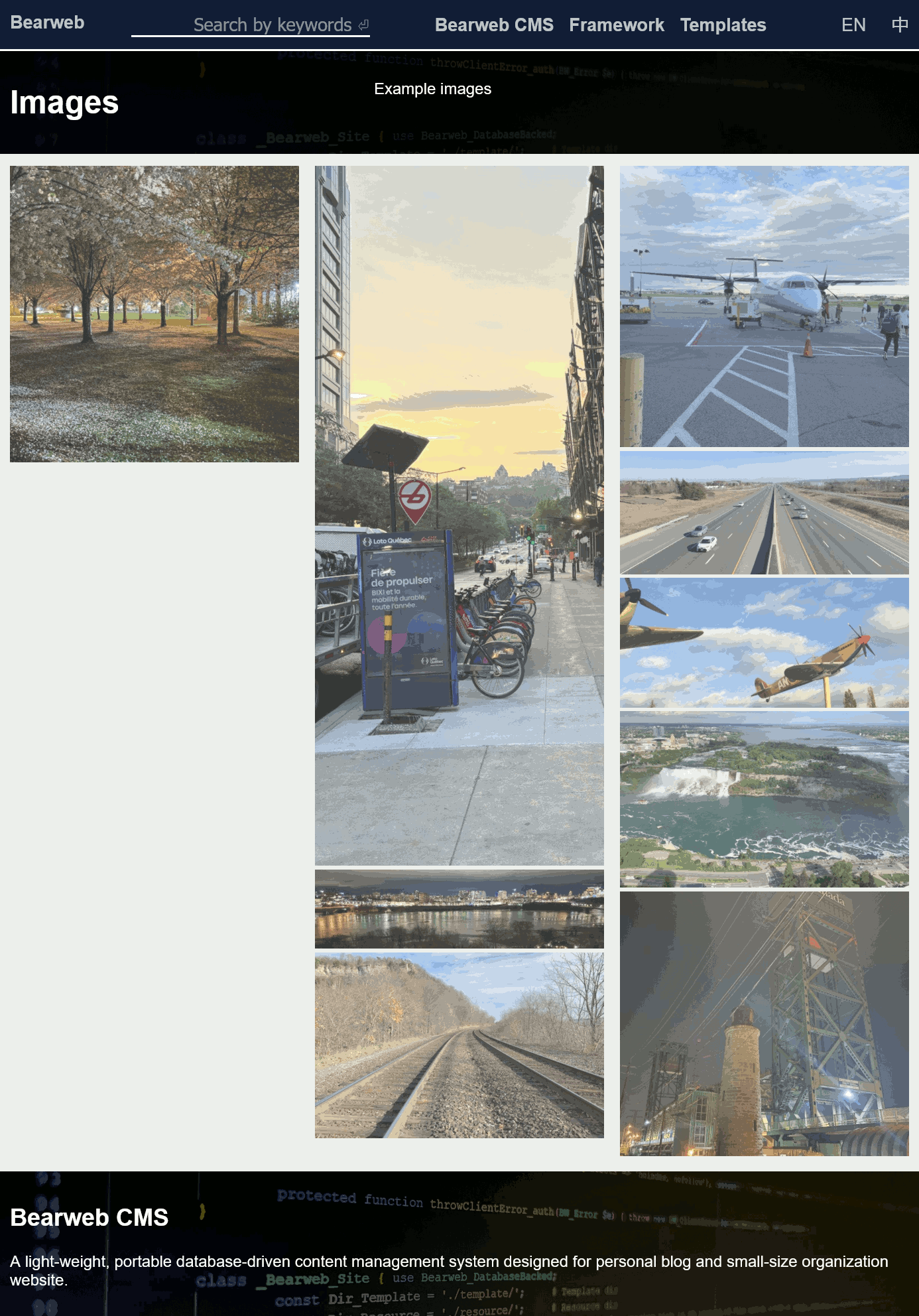
Use this sub-template to show a list of images, see example code below:
<div class="list_vertical" id="bulletinlist">
	<a href="/example/tree.en.html" style="aspect-ratio:0.97552">
		<img src="/example/tree.thumb.jpg" title="Sakura" alt="Sakura in the night." loading="lazy">
	</a>
	<!-- More elements -->
</div>
You will have only one <div id="bulletinlist"> element representing the bulletin list under the <main> element. Under the <div id="bulletinlist"> element, you may have zero to multiple <a> elements representing each image. For each <a> element, you will need:
href- Link to the image page, or the image file (or other resource).aspect-ratio- Allows the browser to leave appropriate space before the image is downloaded, when the browser doesn't know the width and height of the image.img- Thumbnail of the image, you can use theresource->meta->imgattribute of the image page.title- Title of the image, you can use theresource->meta->titleattribute of the image page.alt- Description of the image, you can use theresource->meta->descriptionattribute of the image page.
To reduce bandwidth cost, use loading="lazy" to delay image download until required.
There is no search box in the page banner to filter the results, because the bulletin doesn't display any text content.
Language Selection ['page-x', 'langsel']
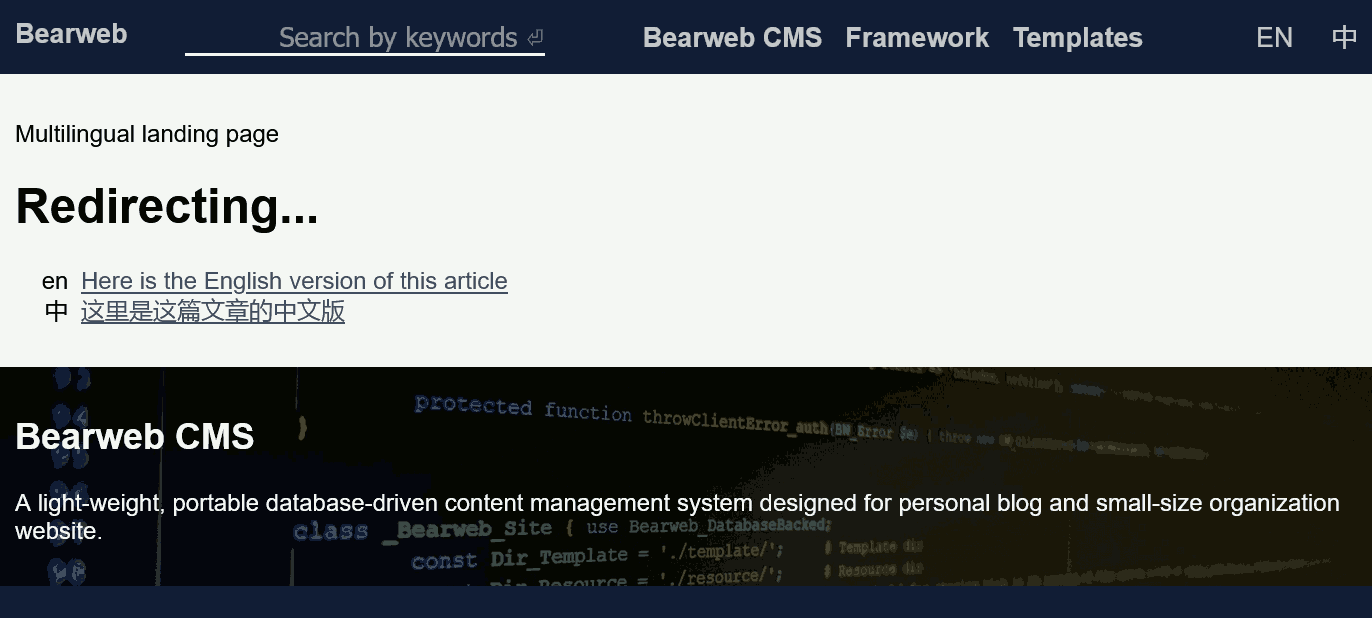
Landing page to determine visitor language for multilingual pages.
You must specify the target URLs for the languages in the aux field of the resource object, for example:
'' => [
	'category' => 'Home',
	'template'=> ['page-en','langsel'],
	'aux' => ['lang-en' => 'en', 'lang-zh' => 'zh']
];
Note the values are absolute URLs without the leading "/".
If a language in lang-* matches with the ACCEPT-LANGUAGE HTTP header provided by the visitor's browser, the server will return a 302 Found header to the client to initialize a redirect to the appropriate URL. If none of the lang-* matches, the server will return a webpage with a list of options to allow the visitor to select one.
If multiple languages matched, the first one in ACCEPT-LANGUAGE (which has higher q rank) will be used.
You should not (although you may) use the other fields of this resource object to store something. They will not be used by the template, and they are negative for performance due to database IO and memory usage overhead.
When you want to share a multilingual resource, it may be a good idea to share the language selection page. This allows the server to provide the appropriate language version, but inconsistency.
See example here: landing page to the homepage, accepts "en" and "zh".
Error
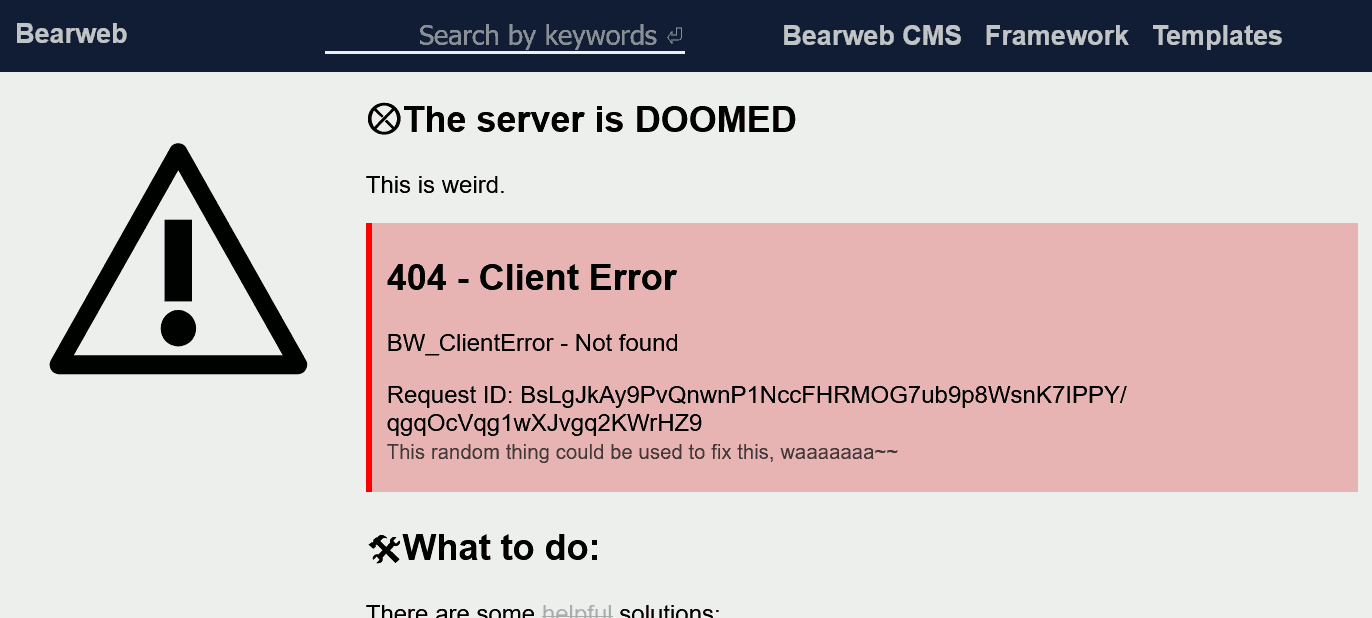
This is used by Bearweb CMS to display error information:
- It shows the name of the error name and error message, which you set when throwing the error using
throw new BW_Error('message', 123);. You may hideBW_ServerErrorusingBearweb::HideServerErrorfor security reason (you can always find the error in Apache2 error log and the session database). - It shows the request ID. You may use the request ID in the session database to trace this request.
You should not use this template for your resource.